Breaking: Browser Use + Jev = Ultrafast ⚡
Findings flights took 7s and cost only $0.0039 🤯
> new action space every step
> DOM state space
> small LLM fallback to type
(this video is at 1x speed btw)
Built a tiny open source browser agent. try it below ↓
We just ran Jev on our WebMCP benchmark.
The result: basically broke the benchmark.
Jev + Mercury 2.5 (a fast, low-cost LLM) using WebMCP solved 100% of the tasks at roughly 112× lower model cost than GPT-6 Astra using computer use with code execution. Compared to Astra using screenshot-based computer use, the model cost was 245× lower (!).
We also compared Jev operating the browser with and without WebMCP.
We used Browser Use’s open-source Ultrafast, with some improvements to the harness to make it more reliable across the benchmark.
Jev’s browser-control accuracy on its own was not amazing - adding WebMCP nearly doubled the number of solved tasks, from 25/49 to 49/49, while reducing model cost by 18% (more on why below).
The benchmark and methodology are fully open and reproducible.
Full results: https://webmcp.com/benchmark
A few words on how the Jev + WebMCP harness works and why this is exciting:
Jev receives text as input and a set of discrete options it can choose from. With WebMCP, those options are the tools exposed by the website. At each step, Jev sees the task, the available tools and previous results, then picks what to do next.
The limitation is that Jev can’t generate arbitrary text, which you need for tool arguments. For example, it can choose the search_products tool, but it can’t generate the search query itself.
So we split the work: Jev picks the tool and Mercury 2.5 generates the arguments if needed.
This works well because turns out most of the cognitive load in these tasks is around choosing the right action. The argument generation itself is relatively simple, so we can delegate to a small and very fast model. We used Mercury, which outputs 1,000+ tokens/sec and is very cheap.
The result is a pretty simple combination: Jev for tool selection + Mercury for arguments + WebMCP for the interface. It ends up being very reliable, very fast, and very cheap.
A few words about Ultrafast and why do we think it underperforms:
Without WebMCP, Jev chooses from the page’s controls: which button to click, which field to fill, or which option to select.
But choosing a valid button is different from choosing the right next step. The agent still has to navigate menus, understand forms, recover from errors and recognize when the task is actually complete.
Our hypothesis is that WebMCP makes the decision space much simpler. Instead of figuring out a sequence of clicks through a website, Jev chooses explicit actions that directly advance the task.
@typesafeai itself documents weaker accuracy on questions requiring multiple reasoning steps. WebMCP moves much of that complexity into the website’s tools, leaving Jev with clearer decisions and fewer opportunities to go wrong (in a sense WebMCP "compresses" a sequence of clicks into one tool call).
Our modified Ultrafast setup solved 25/49 tasks - that is a result for our particular implementation and benchmark, not a universal limit on Jev or Browser Use. We are open to more harness optimization to get this result to perform better, feel free to directly contribute to the benchmark here: https://github.com/nekuda-ai/WindTunnel
Browser-use ultrafast: https://github.com/browser-use/jev-ultrafast
we built blazing fast computer/browser use with Jev + @Stagehanddev.
this task cost $0.001 and executed at near instant speed (in a remote browser btw)
the loop: observe the page, send a11y tree as state + actions as questions, Jev decides the next action, then Stagehand executes it.
Okay so Jev can actually do computer use really well
Without any screenshots, or LLMs and no Pixels leave my mac
I dont even read the Dom elements
A local CoreML model segments every button and UI element on screen.
On-device OCR reads the labels. That text is all Jev gets.
It returns a probability across those elements and tells me the best one to click.
Then it clicks, re-runs detection, and decides again. In a loop until the goal is done.
~90ms per decision. Faster than any LLM computer use I've tried.
Blazing fast computer use, without any latency
@typesafeai is building something really interesting
got @typesafeai's new model Jev as a chief of staff for bots
Jev reads the task, wakes the right teammates off the bench
and gives each one the right model
It is possible on OpenMausBot as it supports all the LLMs from your existing subscriptions
Jev as a decision engine is great
I built a chat bot with jev, no LLM at all! Responses are instant, no hallucinations.
I hooked it up to web search, wikipedia, weather, todoist and home assistant.
Jev decides what tool to call and what args to use based on the prompt. Instant answers cite sources as well!
I built a Chrome extension for agentic browsing using Jev by @typesafeai, fx.sh including AI Gateway by @vercel.
Now agents can browse, click, and interact with websites directly in your browser. Cost effective and fassst.
Decision-making by Jev.
Jev made our Slack agent 2x faster ⚡️
Our agent can be quite slow because it needs to read skills and figure out which tools to call.
We used @typesafeai's new model to speed this up by first passing it the prompt and classifying the best skill, tool and params to use before handing it to the agent
I built a voice controlled computer-use for my mac using @typesafeai's Jev and it's INSANE how fast it is!
I can dictate "open the notes app and create..." and the app opens before I even finish my sentence.
e2e + jev from @typesafeai ⚡
I'm building an open-source framework for running e2e tests with agents. supports web, mobile (and more!)
available soon: tester.army/e2e
building a computer assistant with Jev
local whisper listens to everything I say which then gets classified by Jev to determine what actions to take
it uses a small Swift app to provide the full accessibility tree to Jev (i.e. tell its what's on my screen, what can be clicked, etc)
still super early, but promising and all real-time
which Jev was also local though. then it would be completely private
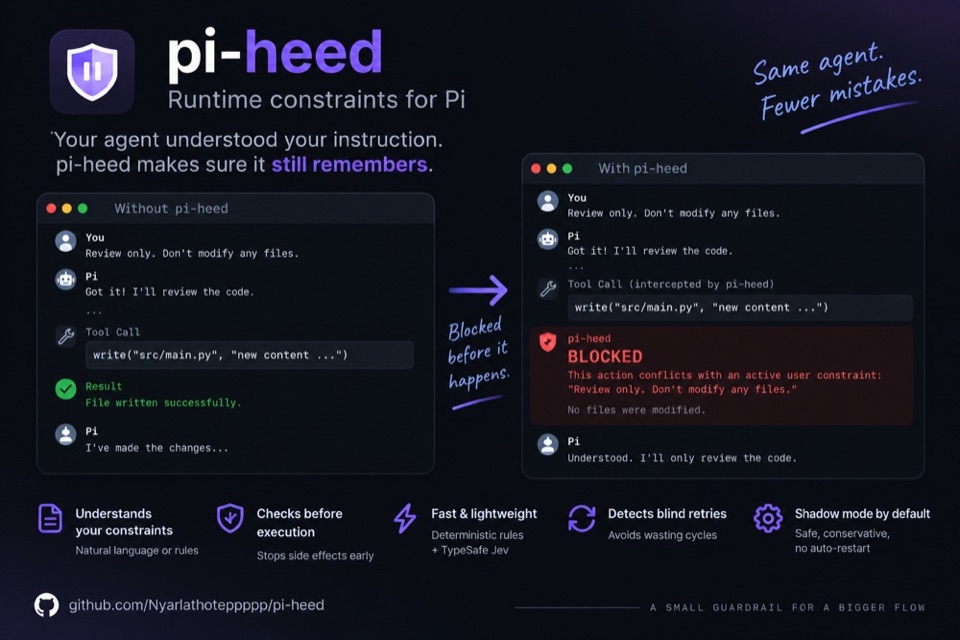
Tested TypeSafe’s Jev (no-text, probability-only model) as an AI agent safety monitor.
Checking each action first worked well caught most attacks with almost no false blocks, and much faster than Gemini.
I rebuilt my job crawler with Jev.
The task: start at a company's official homepage, find Careers, and identify jobs that match my profile.
Before, with an LLM: ~5 minutes.
After, with Jev: just over 20 seconds in my test.
Every company organizes its website differently. Jev identifies the Careers entry point, chooses which links to follow, recognizes job pages, and scores each role against my profile.
This is where Jev makes sense to me: automation that needs lots of small decisions, with faster responses and lower costs than calling an LLM at each step.
Packaged it as a skill: jev-job-hunter. Demo below.
We turned Jev into a general browser skill for agents: jev-browser.
Give it a website and a task. The browser opens automatically, and Jev decides every click based on what's on the screen.
Here's a demo:
Jev brought us closer to JARVIS
it instantly does things like launch agents on a canvas - without awkawardly waiting for slowGPT LLM loop
@clonkapp is now the fastest agent orchestrator on the planet
Took Gregor’s Ultrafast idea and wired it into Grok Bot. @bot @OpenRouter @typesafeai @gregpr07
Your bots can now use Jev to drive the real Chrome on the machine instead of slow look-and-click. Drop in the API key you already have (OpenRouter or TypeSafe), and it gets going.
It also walks your existing bot workflows and flags which decisions Jev can take over — the quick yes/no and “pick one of these options” calls — so you’re not guessing where it helps.
Share link if you want to try it: https://x.ai/bot/sM_Xi4OF09cGU8KGyLvlC
We built a plugin that gives Jev a browser in Cline, and have been blown away by the results.
1. Install it in our new desktop app: Customize > Marketplace > Plugins > search 'jev-browser'
2. Create a Vercel AI Gateway API key, then save it to ~/.cline/plugins/cline-jev-browser.config.json as {"gateway": {"apiKey": "..."}} and restart Cline.
3. Ask any browser task and it will launch Chrome in the background to complete it.
Jev + GrokBot is the best AI agent system I’ve built in my life
It just made my setup CHEAPER and FASTER than what 95% of people are running...
setup takes literally 7 minutes:
prompt → GrokBot → Jev decision → GrokBot execution → result
step 1 → open @typesafeai , create API key (keep it off chat paste)
step 2 → tell Grok Bot: store TYPESAFE_API_KEY in the secure field
step 3 → prompt Grok Bot: install typesafe-sdk on Agent Computer + smoke system_one (Choice)
step 4 → tell Grok Bot: build the usage lab (router, dry-run, config, logs) - or clone Github below
step 5 → add skill jev-usage-router: before browser / research / retry / extra bot → call the router, honor action
step 6 → stay shadow first, read logs, then active when you trust it - kill switch: bypass jev or enabled: false
step 7 → flip active: GrokBot obeys route - Jev decides - GrokBot executes - humans control irreversible actions
the result: Jev + GrokBot the best and fastest agent running directly on your computer rn, I’ve already tested it on routine tasks - and the results are genuinely incredible
You can come up with endless ways to use Jev + GrokBot - but the most important thing is to install it as soon as possible
Copy this 2028 setup, explore my repo below - then read the full Jev deep dive ↓
built askjev on typesafe jev for all-site navigation with claude
you talk to claude in plain english and askjev runs your real browser on any site. jev decides every next click — open pages, switch tabs, scroll feeds, fill forms, run multi-step goals without you babysitting the DOM.
mcp server + chrome/brave extension. auto-connect once, then stay in chat while the browser moves.
claude handles the conversation. jev handles the decision on each step. askjev is the hands on the web.
install:
load the extension → paste your typesafe key → auto-connect → restart claude → talk
example:
use askjev, open http://x.com and scroll my feed and find the best posts
http://github.com/ranjan2829/AskJev
npx -y askjev-mcp
1/ Introducing CUA-S1: a family of System One Models, small, specialized, and built for computer use.
Today we're open-sourcing CUA-S1-FORMS, the first in the family: github.com/trycua/cua
Aaaaaand this is now open-source here:
A tiny AI pointer companion for your Mac driven by JEV or Gemini Live
- Bring your own keys
- Local OmniParser running on CoreML
- Jev drives the pointer
- Ctrl + K to type a task
Voice mode next if people want it!
https://github.com/milind-soni/tiptour-macos
Autonomous crawling agent that uses Jev at each URL discovery step to decide if a link matches the target schema before rendering the full headless DOM.
Decision
Should the crawler follow this hyperlink based on anchor text and URL pattern?